Request access

For Google Calendar · Mac and iPhone

Your calendar plans the trip.

Zulu brings your personal and work Google calendars into one calm interface and handles what Google can’t: travel time, and blockers in your work calendar that keep the details private.

Currently invite only. Tell us how you use Google Calendar, and we’ll reply within a few days.
The app speaks German for now; English is on the way.

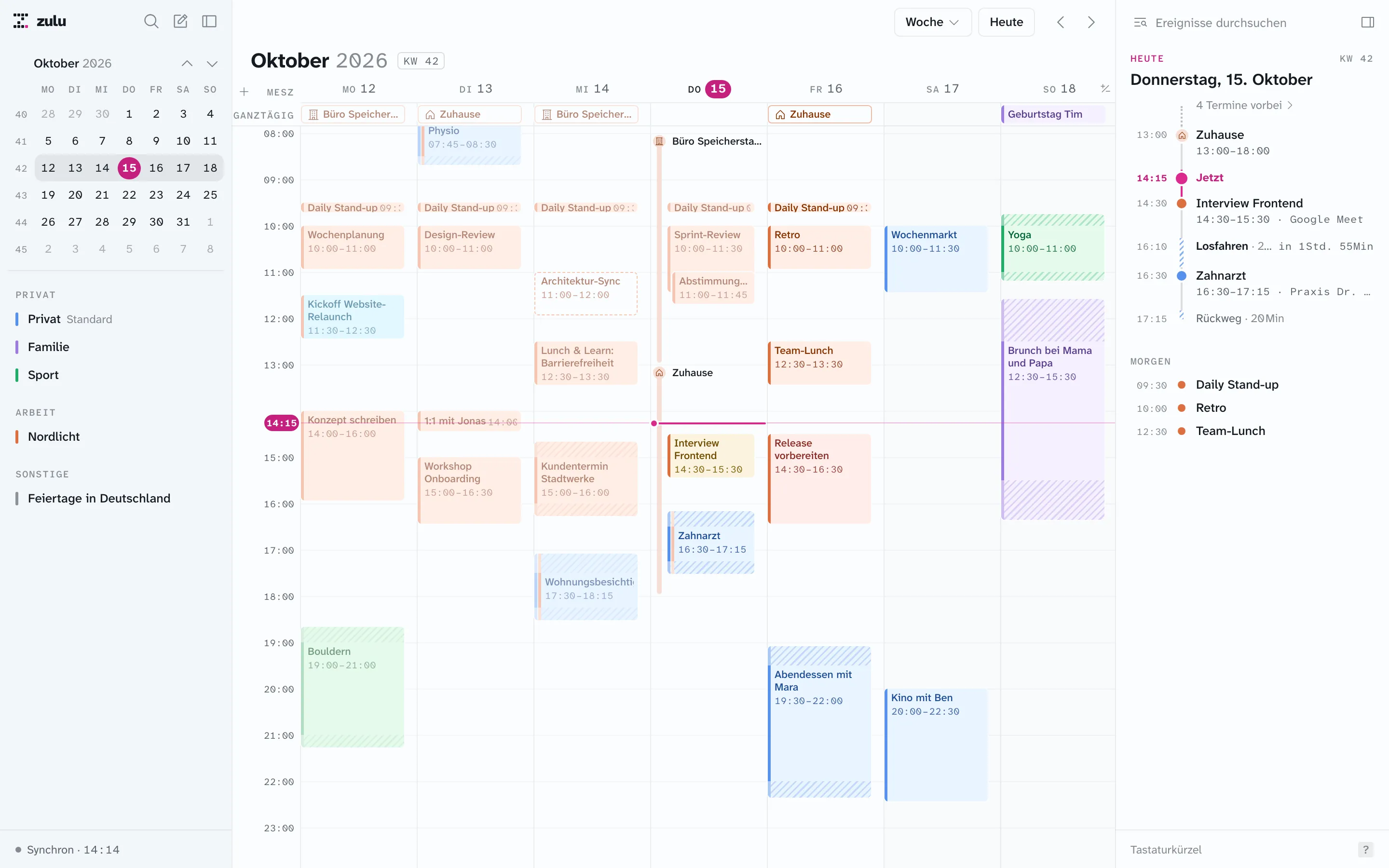
Zulu on the Mac: week view with personal and work events, travel time, working locations, and the day route on the right
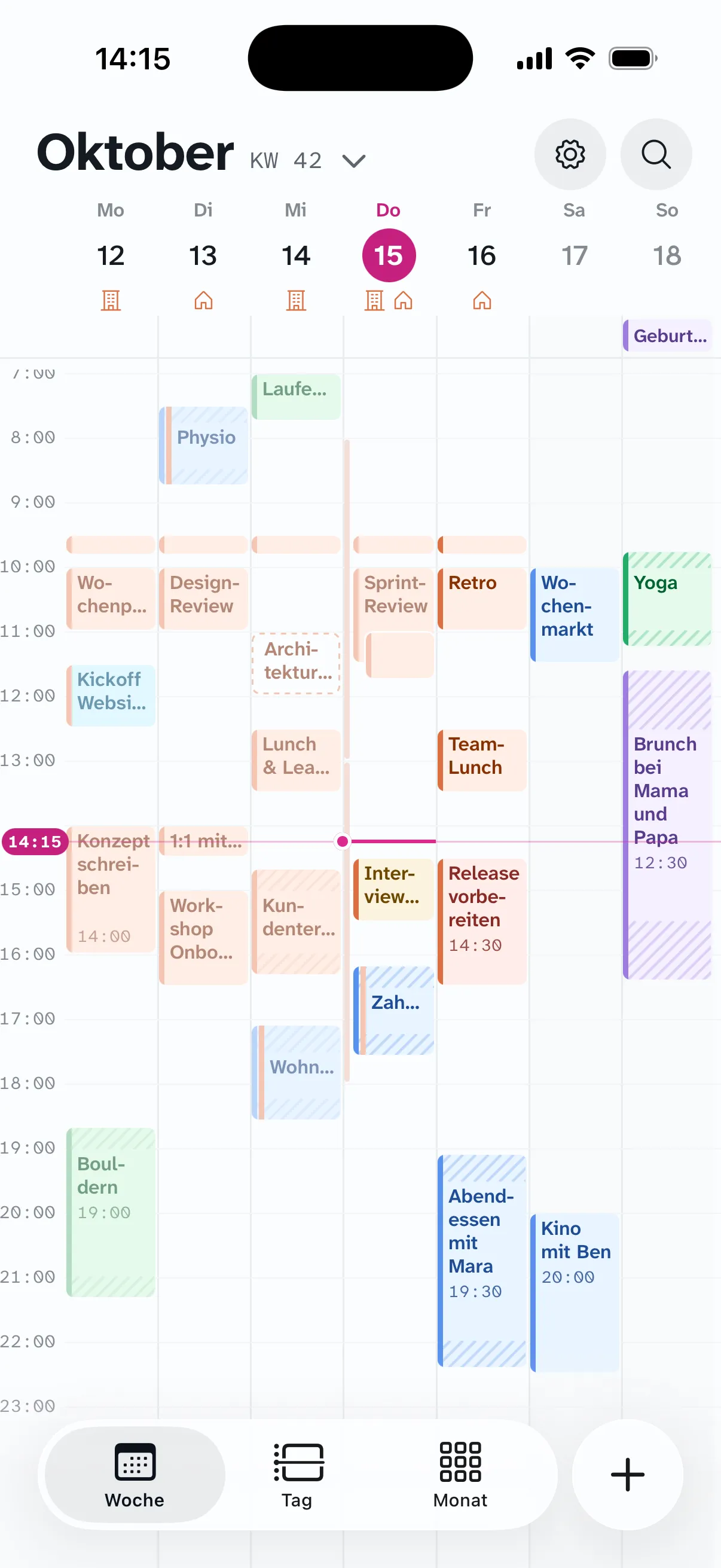
Zulu on iPhone: the whole week, all seven days on one screen

Google stays the source

Every event stays in your Google calendars. Zulu only keeps what Google has no place for.

Automation in the background

A background service keeps travel time and blockers up to date, even when no app is open.

Feels like Notion Calendar

Same shortcuts, same flows. Google Calendar only, but with travel time, rules, and a full week on iPhone.

Built for legibility

Set in Atkinson Hyperlegible, with tested contrast and color reserved for your events.

Travel time

Travel time, built into your events.

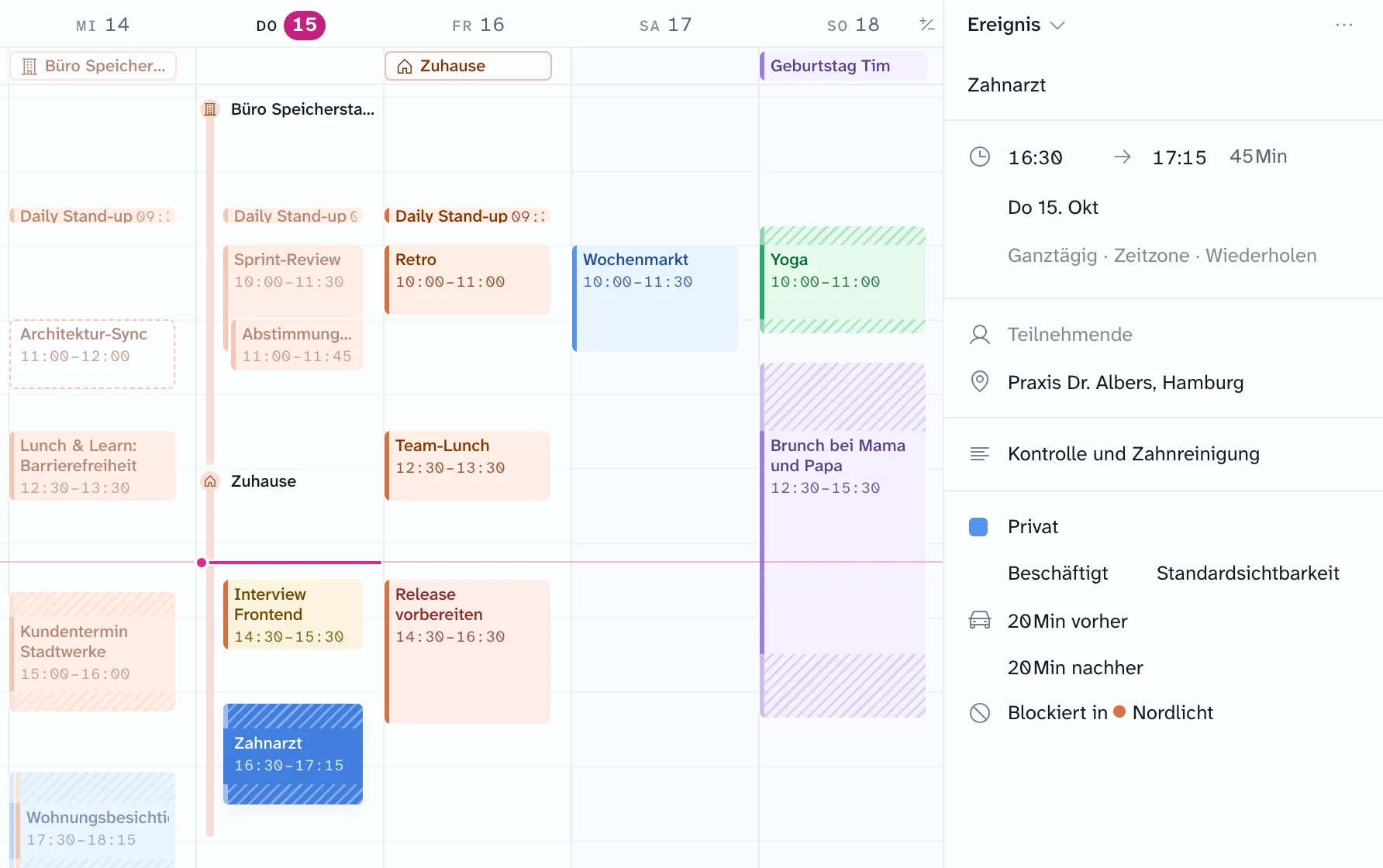
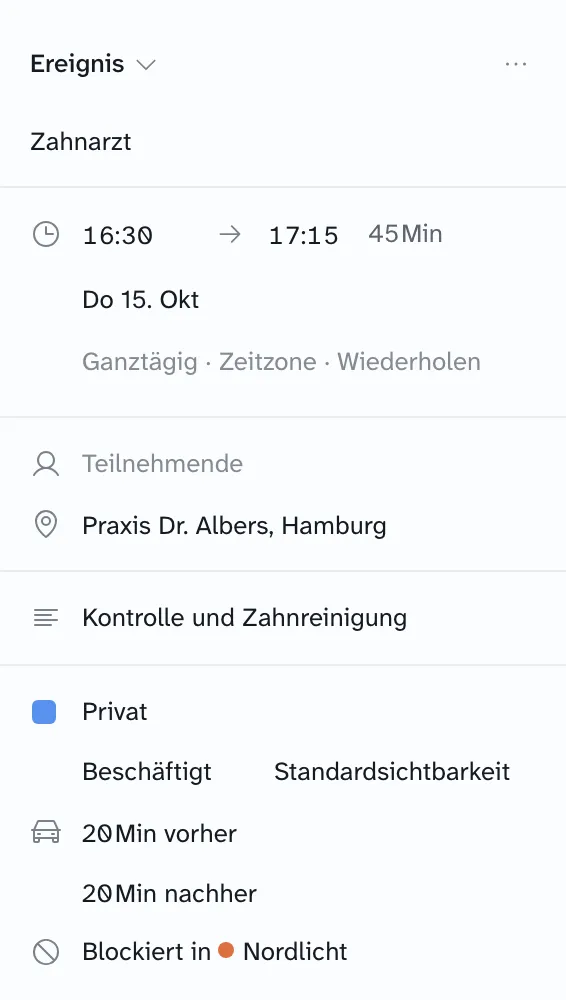
Add how long it takes to get there and back, right on the event. Zulu attaches the travel time as a hatched block and creates a matching event in Google. Move the event, and the travel time moves with it.

  • Set the trip there and back separately
  • Set it once for a series, override it for any event
  • Overlapping travel times merge into one
Everything about travel time
A dentist appointment with 20 minutes of travel time before and after, blocked in the Nordlicht calendar
Event panel for the dentist appointment: 20 minutes of travel time before and after, blocked in the Nordlicht calendar

Automatic blocking

Personal events block your work calendar. Without the details.

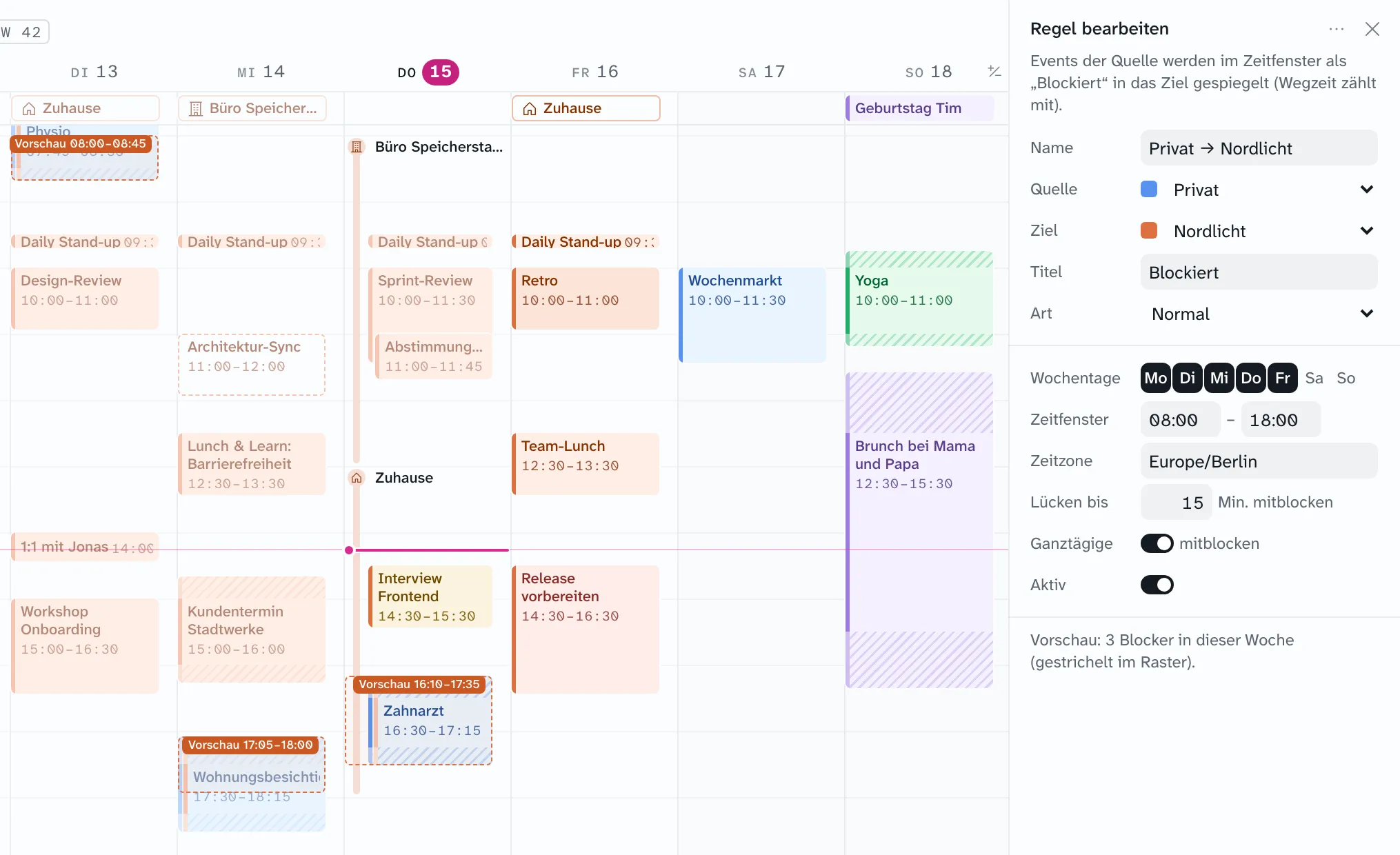
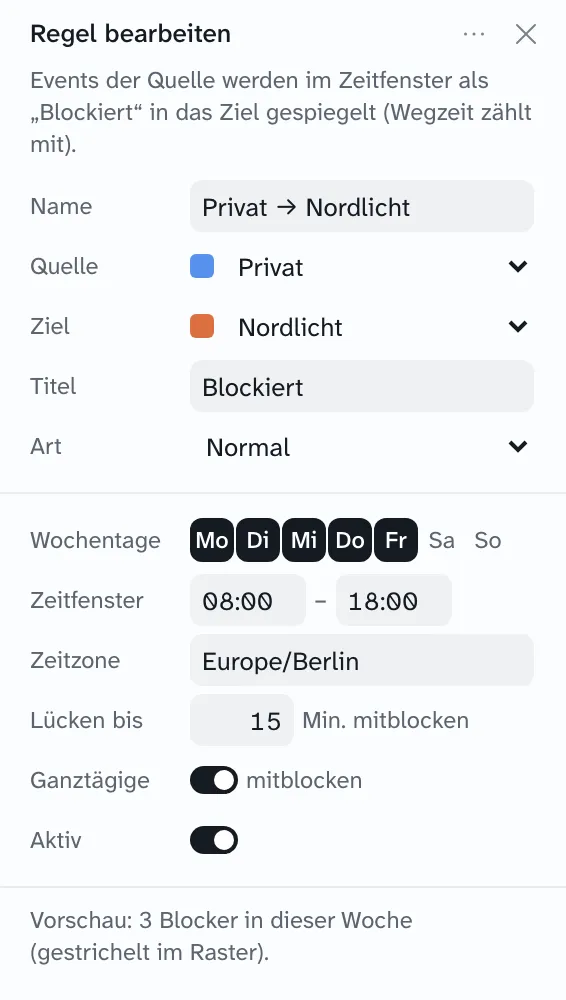
One rule per pair of calendars is all it takes. Zulu mirrors your personal events, travel time included, into your work calendar as private blockers, only within the hours you choose.

  • Weekdays, hours, and time zone per rule
  • Short gaps get blocked too: one block instead of three
  • Preview right in the grid before anything is written
  • Optionally as out of office that declines invitations
  • Exclude single events or block them by hand
Everything about blockers and rules
Rule “Privat → Nordlicht”: Monday to Friday, 8 AM to 6 PM, with a dashed preview of the blockers across the week
Rule “Privat → Nordlicht”: Monday to Friday, 8 AM to 6 PM, gaps up to 15 minutes blocked too

Day route

Always know when to leave.

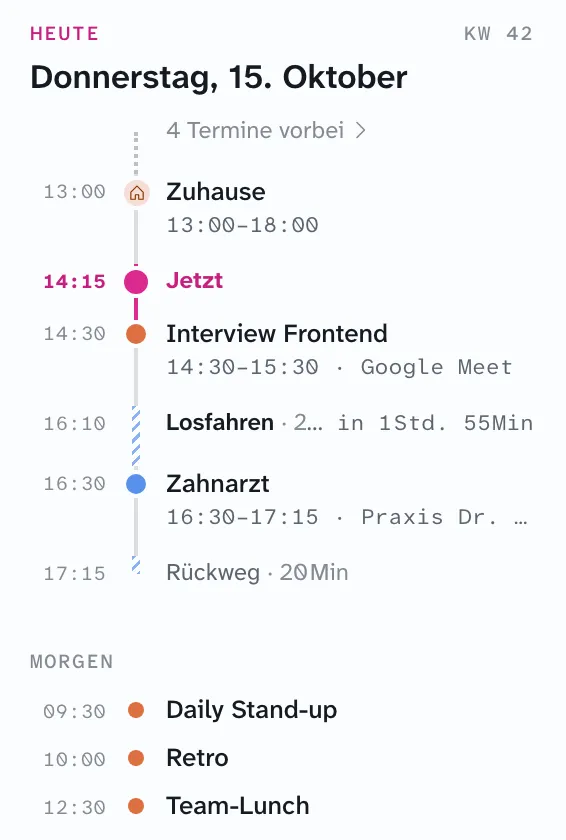
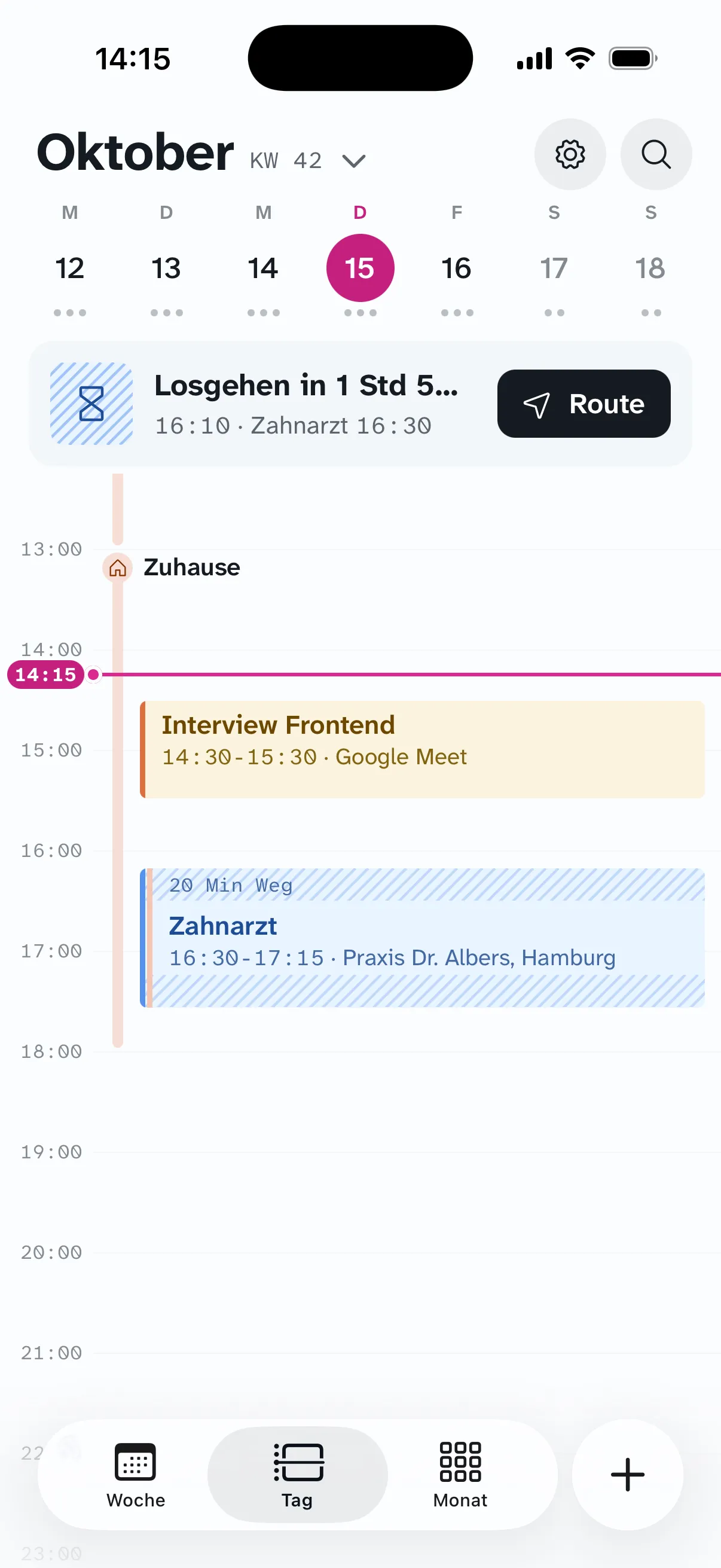
Next to the calendar, your day runs as a route: what’s done, where you are now, and when to head out. On iPhone, Zulu gives you a heads-up in time.

  • Departure and return trip from your travel time
  • A “time to leave” notification on iPhone, with the route in Maps
  • Today and tomorrow at a glance
Day route: home from 1 PM, now at 2:15 PM, interview, leave at 4:10 PM, dentist, return trip
Day view on iPhone with the “time to leave” card for the next event

Working location and out of office

Office or home, even in your personal calendar.

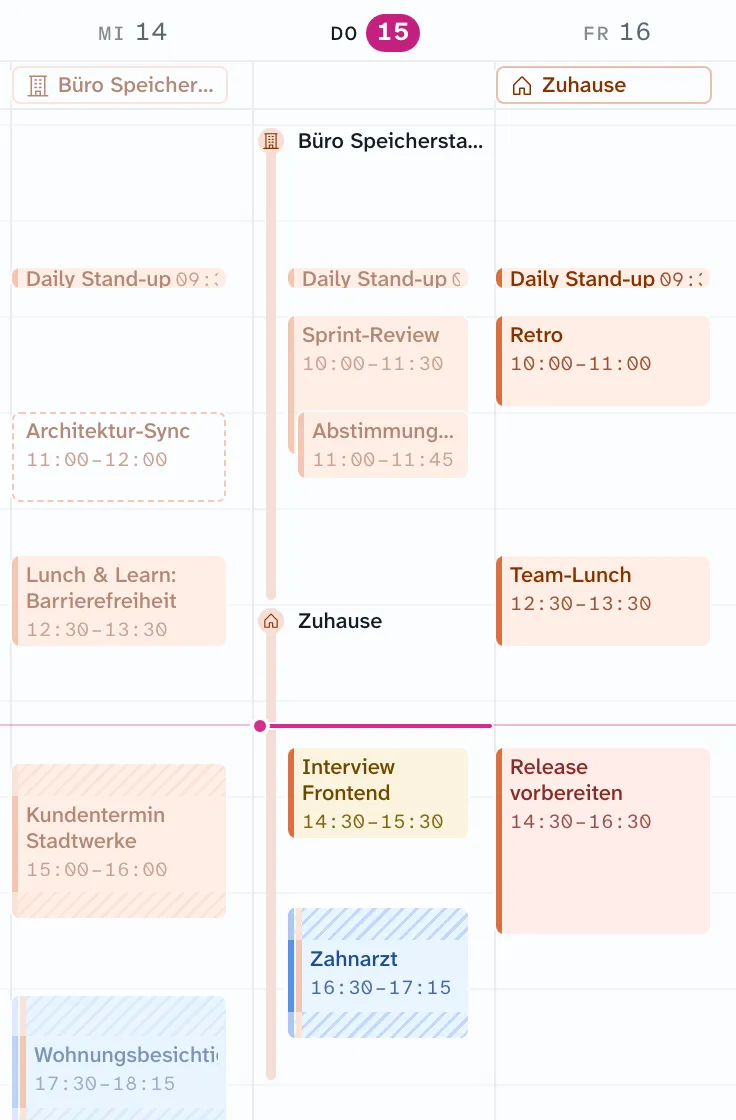
Zulu shows and creates Google’s working locations and out-of-office events. A rule can also copy working locations into your personal calendar, with travel time if you like.

  • Home, office, or any named place, even for a few hours
  • Out of office that declines invitations automatically
Thursday with a working location: Speicherstadt office until 1 PM, then home, shown as a line along the left edge of the day column

iPhone

Your whole week, in your pocket.

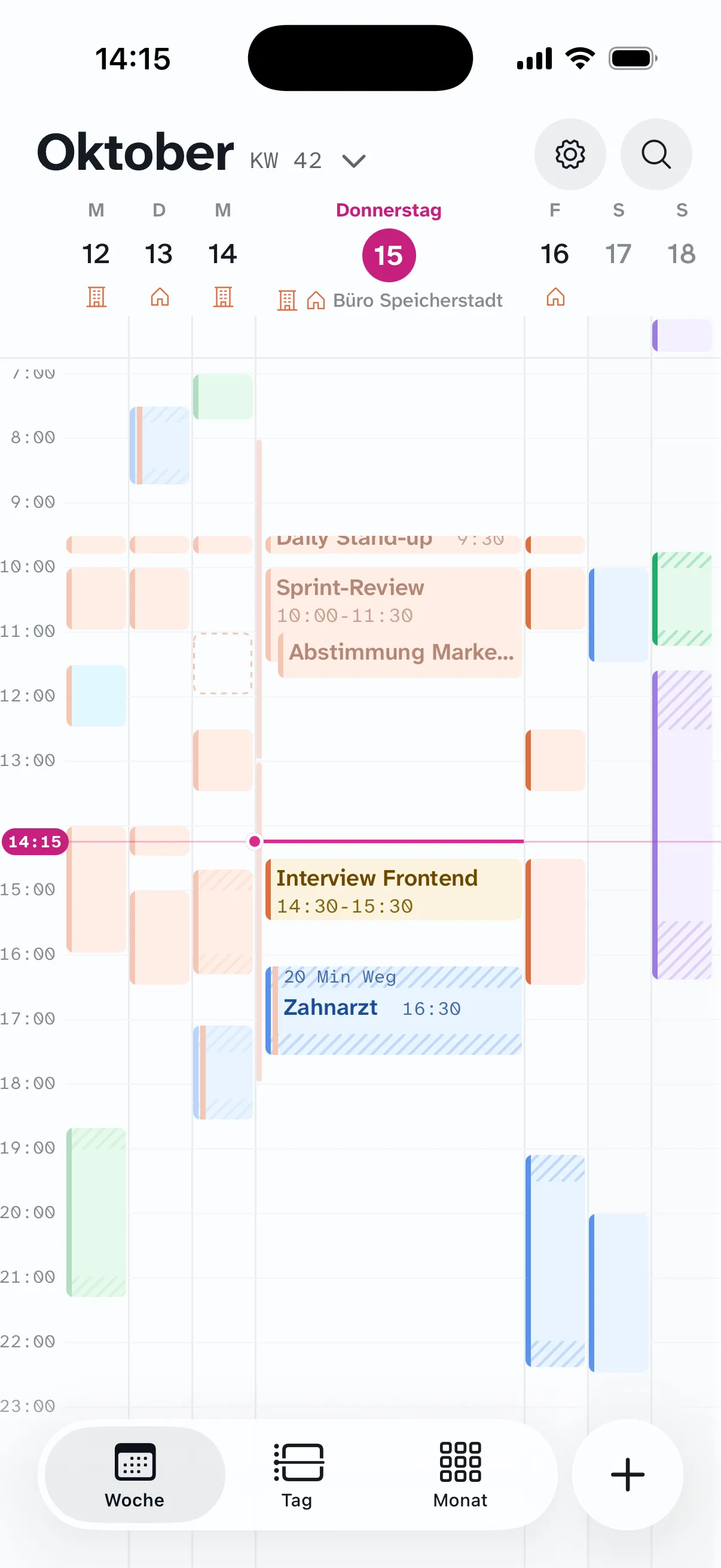
Seven days on one screen, no scrolling. Tap a day to open it as a wide column. New events? Just type them.

What quick entry understands
Week with seven columns and working location icons in the header
Week All seven days, events in full color.
Focus on Thursday: one wide column with readable events
Focus Tap a day’s header to widen it.
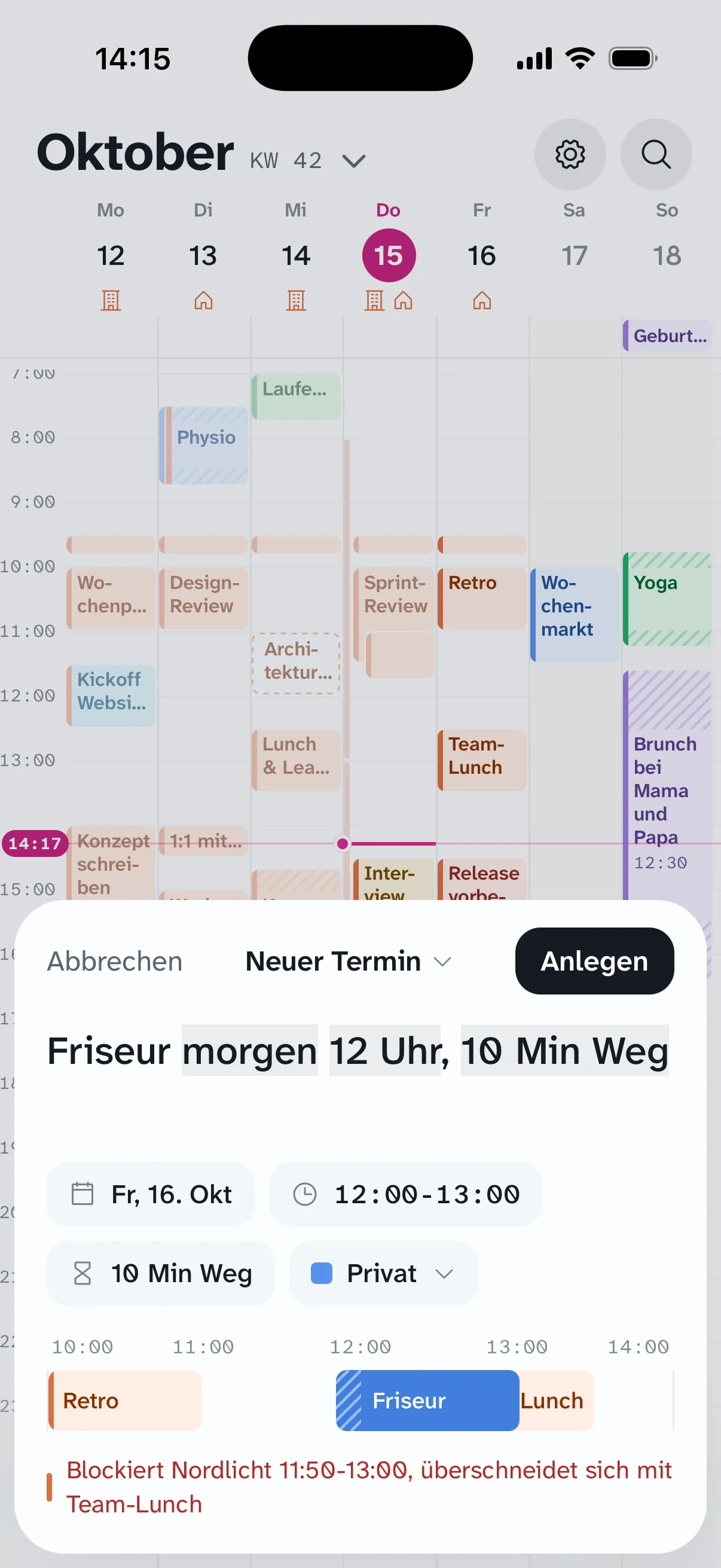
Quick entry: “Friseur morgen 12 Uhr, 10 Min Weg” (haircut tomorrow at noon, 10 min travel) with the recognized parts and a note about an overlap
Quick entry Event, time, and travel time in one line.
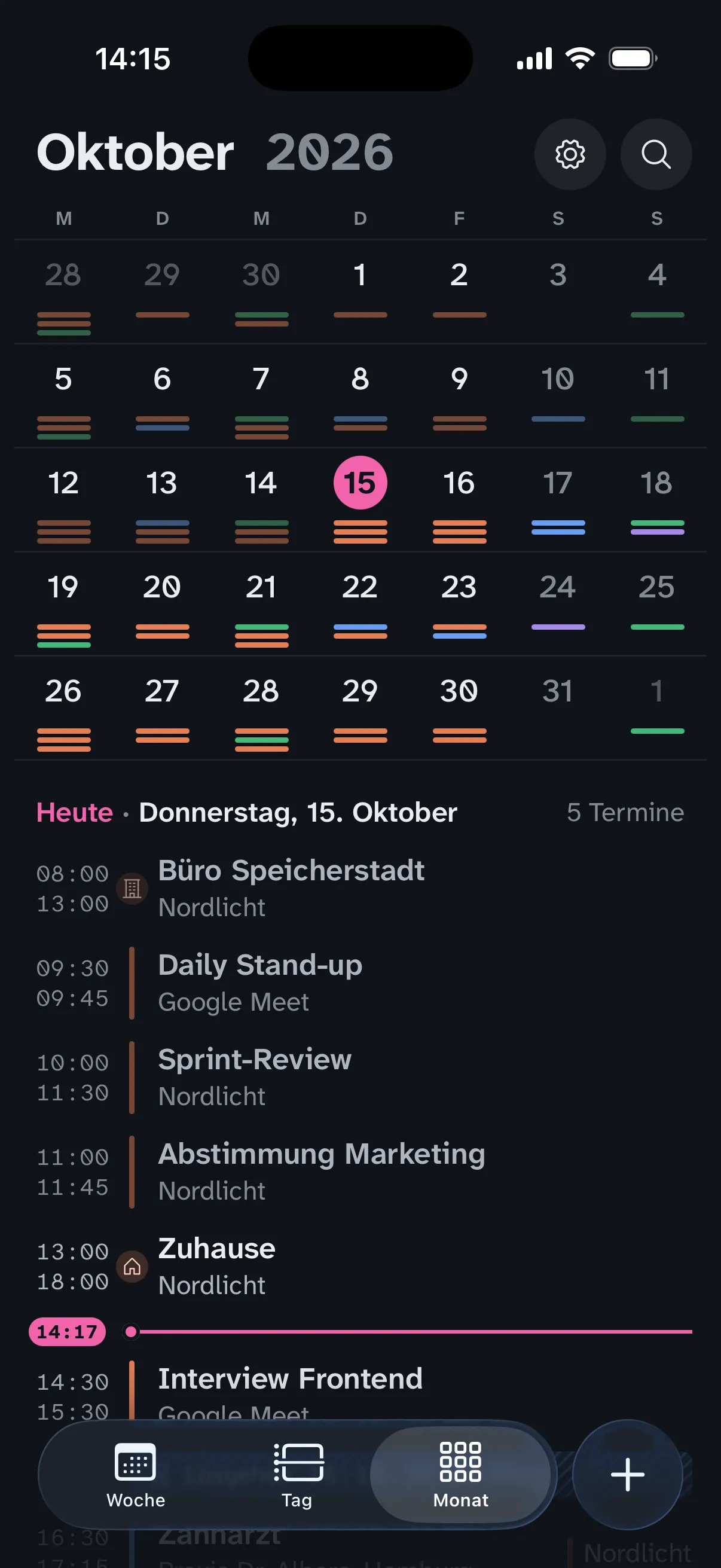
Month view in dark mode with a list for the selected day
Month With a list for the selected day, light and dark.

Keyboard

On the Mac, the mouse is optional.

Create, move, and copy events, switch weeks: there’s a shortcut for almost everything, most of them just like in Notion Calendar.

All shortcuts

How it works

Set it up once, then let it run.

  1. 01

    Connect your Google accounts

    Personal, work, your club: Zulu pulls in every calendar from your accounts and shows each under its own name.

  2. 02

    Set your rules

    Which calendar blocks which, and when. Travel time goes right on the event.

  3. 03

    Zulu keeps it all current

    Changes arrive from Google via push, and your Mac and iPhone update live.

FAQ

Good to know.

Which calendars does Zulu support?

Google Calendar only, but with as many accounts as you like, say one personal and one for work. Other providers are left out on purpose.

Can my team see what’s behind a blocker?

No. A blocker carries a neutral title you can choose and is private. The title, location, and notes of your personal event never leave your personal account.

What do people who don’t use Zulu see?

In Google, travel time and blockers are regular events. Anyone viewing your calendar in Google Calendar or Outlook simply sees that you’re on the road or busy.

I’m coming from Notion Calendar. What’s different?

The controls and keyboard shortcuts will feel familiar. On top of that, you get travel time, blocking rules, and an iPhone app with a full week and month view. In exchange, it’s Google Calendar only: no Notion integration and no scheduling links.

Does the app need to be open for blockers to appear?

No. A background service connected to Google handles all the automation, even overnight and with every device switched off. When an event changes, Google notifies Zulu via push.

Where is my data stored?

Your events stay in Google. We run the Zulu backend for you, or you can host it yourself, on a Raspberry Pi, for example. It only stores a cache, your rules, and your travel times.

Is Zulu available for Android or Windows?

Mac and iPhone are available today. The groundwork for Android is in place; Windows may follow later.

Can I create recurring events and reminders in Zulu?

No. Zulu shows series and edits single occurrences, “from this one on,” or the whole series, but doesn’t create new recurrences or set reminders. Google Calendar stays around for that; both run in parallel.

Is there a month view?

On iPhone, yes, with a day list. On the Mac there are day, multi-day, and week views; a month view is still missing there.
More in the help section

Who Zulu is not for

Better not, if …

  • … your calendars live in iCloud, Outlook, or another provider. Zulu only does Google.
  • … you need Notion databases in your calendar or booking links. Zulu deliberately has neither.
  • … you use Windows or Android. Today there is Mac and iPhone.
  • … you expect a finished app from the store. Zulu is invite only, with its own backend and no price yet.
The comparisons spell out what’s missing

Request access

Ready for a calmer calendar?

Zulu is currently open to a small group. Tell us briefly how you use Google Calendar, and we’ll get back to you within a few days.

We only use your details to reply. See our privacy policy (in German).